Creating incredible immersive content is no longer limited to major studios with six-figure budgets. Cameras like the Insta360 X5 and Kandao Qoocam 3 Ultra have made high-quality VR filmmaking accessible to independent creators, production companies, travel filmmakers, educators, event producers, and brands.
Never before has it been more accessible to great quality 360VR immersive content and if you’re using one of these there’s so much you can do! But the learning curve can be steep and it seems lots of people have questions! So as part of URview‘s Creator support hub we thought we would put together some tips to help!


Of course there’s also the top of the range camera systems like the Insta360 Titan, BlackMagic Ursa and even the Canon R5C with Dual Fisheye lens but even with those immersive creation has never been easier.


But owning a powerful 360 camera does not automatically create professional VR experiences. The difference between average and exceptional immersive content often comes down to understanding how VR audiences experience space, movement, lighting, sound, and storytelling. And then you need all the skills of a filmmaker too.
Unlike traditional filmmaking, VR production places the viewer inside the environment. That changes everything.
- Camera placement becomes more important.
- Lighting must work in every direction and be either subtle and hidden or form part of the shot. It can also be Practical or Natural
- Movement needs to feel natural.
- Audio becomes part of the storytelling.
- And small mistakes become far more noticeable because the audience controls where they look.
If you want your immersive content to stand out and look more professional, these VR creator tips will help you get the absolute best results from cameras like the Insta360 X5 and Kandao Qoocam 3 Ultra.

Understand the Biggest Difference Between VR and Traditional Filmmaking
Before diving into camera settings and equipment, creators should understand the core principle of immersive production:
In VR, the audience chooses the frame. As a creator you can nudge them in the right direction, you can feed them where to look but ultimately you have to think about what is in the entire picture as well as where you might want them to look. Of course this will depend on what kind of content your shooting, as to whether you really want to drive them to particular views, but it’s something to consider.
You are no longer directing viewers with cuts and closeups alone. Instead, you are guiding attention inside a 360-degree environment.
This means every direction matters.
A cluttered background, poor lighting placement, visible crew members, or awkward movement can immediately break immersion. As a VR creator we are making experiences, not videos.
The best VR creators think like experience designers rather than traditional videographers.
You are building an environment viewers inhabit and an experience for them to connect with.

Which Consumer or Prosumer Camera is right for you?
There are a lot of cameras on the market and there are lots of processing tools to make the content really pop. So ultimately it’s about finding the camera for you and how you’ll use it. Here we talk about some of the more common ones like the X5 and 3 Ultra.
Choosing Between the Insta360 X5 and Kandao Qoocam 3 Ultra
Both cameras are excellent tools for immersive production, but they each have strengths.
Insta360 X5
The Insta360 X5 is ideal for creators who want:
- Fast workflows
- Strong stabilisation
- Excellent mobile app support
- Action-based filming
- Underwater Housings
- Broad range of accessories
- Travel content creation
- Social-first immersive production
- Reliable low-light improvements
Kandao Qoocam 3 Ultra
The Kandao Qoocam 3 Ultra is better suited for creators prioritising:
Its stabilisation and optional AI-assisted workflow make it especially useful for creators filming moving experiences, tourism content, sports, and dynamic environments.
- Higher cinematic image quality
- More professional colour grading workflows
- Greater manual control
- Better dynamic range
- Premium immersive storytelling
It is particularly strong for documentary work, branded experiences, narrative VR, and premium cinematic productions. The offset lenses may mean a further stitch line distance when compared to the Insta360 X5 but only by a margin.
Many professional creators now use both systems depending on the type of production.

Shoot at the Highest Resolution Possible
One of the most important VR creator tips is simple:
Always capture at the highest quality your workflow allows. In traditional filmmaking, viewers only see a cropped frame. In VR, the full image sphere surrounds the viewer.
That means resolution gets spread across the entire environment.
Even 8K footage can appear softer than expected once viewed on a larger tablet, phone or inside a headset.
For this reason:
- Shoot in maximum resolution whenever possible
- Use the highest bitrate settings available
- Avoid over-compression during export
- Prioritise image detail over small file sizes
The more visual detail you preserve, the more immersive the final experience becomes.
This becomes especially important if your content will later be distributed in high-quality immersive environments like 8K VR streaming platforms.
Master Manual Camera Settings
Many beginners rely too heavily on automatic modes.
Auto settings can work in simple environments, but professional immersive filmmaking usually requires manual control. Play with the settings and do some tests. When testing, choose the settings, then read them outload during the record, or take notes. You can then compare and start learning what look works best and why.
Best Shutter Speed Settings
For natural cinematic movement, follow the 180-degree shutter rule.
As a general guide:
- 24fps = 1/50 shutter
- 30fps = 1/60 shutter
- 60fps = 1/120 shutter
Using overly fast shutter speeds can create unnatural, harsh motion that feels uncomfortable in VR. Motion realism matters enormously in immersive experiences.
Keep ISO as Low as Possible
VR cameras are physically small compared to cinema cameras.
That means image noise appears faster in low light. Just like when you take a picture on your phone in darkness and the image appears grainy, the aim is to avoid that. Sometimes you avoid it shoot in brighter environments or add light and darken it down in camera by lowering the ISO.
To maintain cleaner images:
- Use the lowest ISO possible
- Add lighting instead of raising ISO excessively
- Avoid underexposing scenes
- Protect highlights carefully
Noise becomes much more noticeable in VR so we want to do as much as we can to mitigate it. When checking lighting levels ensure your monitoring device, such as a phone is turned up to full brightness so you can see what the camera ia doing. Otherwise you might think that the camera settings are too dark, but it’s actually the phone screen brightness that is turned down.
White Balance Should Be Locked
Never rely on auto white balance during professional VR filming.
Colour shifts during immersive playback can feel distracting.
Instead:
- Lock white balance manually
- Match Kelvin settings to your lighting
- Maintain consistency across scenes
This is particularly important when filming narrative or documentary content. If you’re not sure how to lock white balance, you should look at the colours on the monitoring device and try to match them to the eye. You can use a whiteboard or clapper as a reference.
Lighting Is More Important in VR Than Most Creators Realise
Lighting can completely transform immersive content quality. From both a creative perspective creating drama, tone and layers to simply seeing what is there and having a clean crips image.
The challenge with VR is that lights cannot simply sit outside frame. The camera sees everything. This forces creators to think more creatively. But luckily there are some great ways to work that make this easier. Of course when you shoot 180VR it is easier to hide the lights, but even then you might still want some of these tricks.
Best Lighting Techniques for VR Filming
Use Practical Lighting
Practical lights are visible light sources inside the scene itself.
Examples include:
- Lamps
- Neon signs
- Windows
- Candles
- Street lighting
- Decorative LEDs
Practical lighting helps scenes feel realistic while naturally illuminating the environment.
Bounce Light Whenever Possible
Direct lighting often feels harsh in immersive environments.
Instead:
- Bounce lights off walls or ceilings
- Use diffusion domes
- Create softer ambient illumination
- Avoid aggressive shadows near camera
Soft lighting usually creates more comfortable VR experiences.
Hide Lights Strategically
Since the camera captures 360 degrees, hiding equipment becomes a major challenge.
Professional VR crews often:
- Monopod Column lights
- Hide lights behind furniture
- Use ceiling rigs
- Place fixtures behind set objects
- Use battery-powered practical lights
- Shoot around architectural features
Planning lighting placement before filming saves huge amounts of time later.
Best Portable Lighting for VR Creators
Compact battery-powered LEDs are ideal for immersive filmmaking.
Popular options include:
- Monopod Column lights
- Aputure MC Pro
- Zhiyun Molus series
- Nanlite Pavotube lights
- SmallRig LED panels
- Amaran portable lights
These compact systems are easier to hide and reposition inside immersive environments.
Grip Equipment Matters More Than Most Beginners Think
Good grip equipment dramatically improves production quality.
Poor stabilisation or awkward movement can ruin immersion instantly.
Best Tripods for 360 Cameras
Thin monopods or invisible selfie sticks work best because they minimise stitching visibility.
Look for:
- Lightweight carbon fibre builds
- Small footprints
- Stable locking systems
- Adjustable height
- Strong wind resistance
The less visible your support system appears, the cleaner the immersive illusion becomes.
Use Sandbags or Weights Outdoors
360 cameras are lightweight. That makes them vulnerable to wind movement. Even slight vibrations become obvious in VR. Another thing to consider is if you walk away from your camera in a public space, people could knock into it and that may end up wit h a damaged camera. Securing your kit is the best way to avoid a problem of all kinds.
Always stabilise outdoor setups using items such as:
- Sandbags
- Weighted tripod bases
- Ground anchors
- Heavy-duty monopods
- Clamps
Stable footage feels dramatically more professional.
Gimbals Are Useful — But Not Always Necessary
Modern 360 cameras already include excellent stabilisation. However, controlled movement still matters. The smoother and more natural you make it, the better the experience will be!
When moving with the camera:
- Walk slowly
- Use heel-to-toe movement
- Avoid sudden direction changes
- Keep movement natural
- Avoid aggressive acceleration
The smoother the motion, the more comfortable the viewer experience.
Audio Is Half the VR Experience
One of the most overlooked VR creator tips is understanding how important audio is.
Immersive audio helps sell the illusion of presence.
Bad sound immediately destroys immersion.
Use Spatial Audio When Possible
Spatial or ambisonic audio allows sound to move naturally with viewer perspective.
This creates a dramatically more immersive experience.
If possible:
- Use ambisonic microphones
- Record environmental sound separately
- Capture room tone carefully
- Avoid relying entirely on onboard microphones
Popular immersive audio tools include:
- Zoom H3-VR
- Rode Wireless systems
- Deity timecode setups
- Ambisonic recording rigs
Camera Placement Is Everything in VR
In traditional filmmaking, cameras are often positioned outside the action.
In VR, the camera becomes the audience.
This changes how scenes should be staged.
Best Camera Height for VR
Most immersive scenes work best when the camera sits at realistic eye level.
Typically:
- Standing scenes: around 5ft 6in to 6ft
- Seated scenes: seated eye level
- Vehicle scenes: natural passenger perspective
Incorrect camera height can make experiences feel unnatural.
Give the Viewer Space
Do not place subjects too close to the camera.
In VR, extremely close objects can feel uncomfortable.
As a general rule:
- Keep primary subjects at least 3 to 6 feet away
- Avoid crowding the lens
- Use wider environmental staging
Comfort improves immersion.
Slow Down Your Editing
Traditional editing rhythms often feel too aggressive in VR. Rapid cuts can disorient viewers.
Instead:
- Hold shots longer
- Allow viewers time to explore environments
- Use slower transitions
- Minimise excessive camera movement
Immersive storytelling benefits from patience.
Think About Viewer Attention
Because viewers control where they look, creators must guide attention naturally.
You can direct focus using:
- Lighting
- Sound cues
- Movement
- Character positioning
- Environmental contrast
- Dialogue direction
The best VR creators subtly guide audiences without forcing perspective.
Test Your Content in on your mobile device or a Headset Before Publishing
Never judge immersive content only on a monitor.
Always review projects inside:
- VR headsets
- Mobile playback
- Browser environments
- Different screen sizes
Issues invisible on desktop screens often become obvious in immersive viewing.
Final Thoughts: Great VR Content Combines Technology and Experience Design
The cameras available to creators today are more powerful than ever.
The Insta360 X5 and Kandao Qoocam 3 Ultra allow independent creators to produce immersive experiences that would have required enormous budgets only a few years ago.
But technology alone is not enough.
The creators producing the best immersive content understand movement, lighting, audio, staging, storytelling, and audience comfort.
VR filmmaking is not just about capturing environments.
It is about creating presence.
The more naturally viewers feel transported into your world, the more successful your immersive experience becomes.
By mastering lighting, stabilisation, camera settings, movement, and storytelling techniques, creators can dramatically elevate the quality of their VR productions.
And as immersive streaming platforms continue making VR accessible across browsers, phones, apps, TVs, and headsets, the opportunity for creators has never been larger.
The future of immersive storytelling belongs to creators who combine technical skill with thoughtful experience design.
See our Other Creator Tips
- Best Cameras for 360VR Filmmaking
- How to Distribute 360VR Content
- Beginner Guide to VR Storytelling
- Best Lighting Setups for VR Production
- How to Edit 360VR Video Professionally
Related Keyphrases
- VR filming tips
- Insta360 X5 settings
- Kandao Qoocam 3 Ultra guide
- immersive filmmaking tips
- 360 camera production
- VR lighting techniques
Suggested Image Alt Text
- “Insta360 X5 professional VR filming setup”
- “Kandao Qoocam 3 Ultra immersive production workflow”
- “Lighting setup for 360 VR filmmaking”
- “Grip equipment for immersive VR production”
- “Professional creator filming 360VR content”
Suggested CTA
Want your immersive productions to reach wider audiences? Combine professional VR filming techniques with next-generation immersive distribution platforms to maximise viewer engagement and content quality.
Best SD Cards for VR Filming
One of the most overlooked causes of failed VR shoots is using the wrong SD card.
High-resolution immersive filming pushes storage systems extremely hard, especially when recording 8K 360 video with high bitrates.
Cheap or slow memory cards can cause:
- Recording failures
- Corrupted files
- Dropped frames
- Overheating issues
- Buffer interruptions
- Reduced recording times
Professional VR creators should always invest in premium high-speed cards from trusted manufacturers.
What SD Card Speeds Do You Actually Need?
For cameras like the Insta360 X5 and Kandao Qoocam 3 Ultra, creators should prioritise:
- V30 minimum for lighter workflows
- V60 recommended for professional reliability
- UHS-I or UHS-II depending on workflow
- High sustained write speeds
- Trusted brand reliability over maximum advertised speed
VR cameras record massive amounts of data continuously.
Sustained write speed matters far more than peak burst speed.
Recommended SD Cards for VR Creators
SanDisk Extreme Pro
One of the most reliable choices for immersive creators.
The SanDisk Extreme Pro range offers:
- Excellent sustained recording performance
- Strong heat management
- Reliable long-form recording
- Widely tested compatibility
- Fast transfer speeds for editing workflows
These cards are especially popular for travel creators and documentary production.
Lexar Professional Series
Lexar Professional cards are excellent for higher-end VR workflows.
They often provide:
- Very stable recording speeds
- Good reliability for extended shoots
- Fast ingest for large 8K files
- Strong value compared to premium competitors
Samsung Pro Ultimate
Samsung’s Pro Ultimate cards are becoming increasingly popular among creators needing dependable mobile workflows.
They are particularly useful for:
- Run-and-gun shooting
- Outdoor productions
- Action filming
- Travel filmmaking
Angelbird Cards for Professional Production
For creators filming commercial VR projects, Angelbird media has become highly respected in professional production environments.
They are designed for sustained professional workloads and extended recording sessions.
Important VR Storage Workflow Tips
Professional immersive creators rarely rely on a single card.
Best practice includes:
- Rotating multiple cards
- Backing up footage immediately
- Using labelled media wallets
- Avoiding completely filling cards
- Formatting cards in-camera before shoots
- Retiring damaged or ageing media
VR shoots generate enormous file sizes quickly.
Good media management prevents catastrophic data loss.
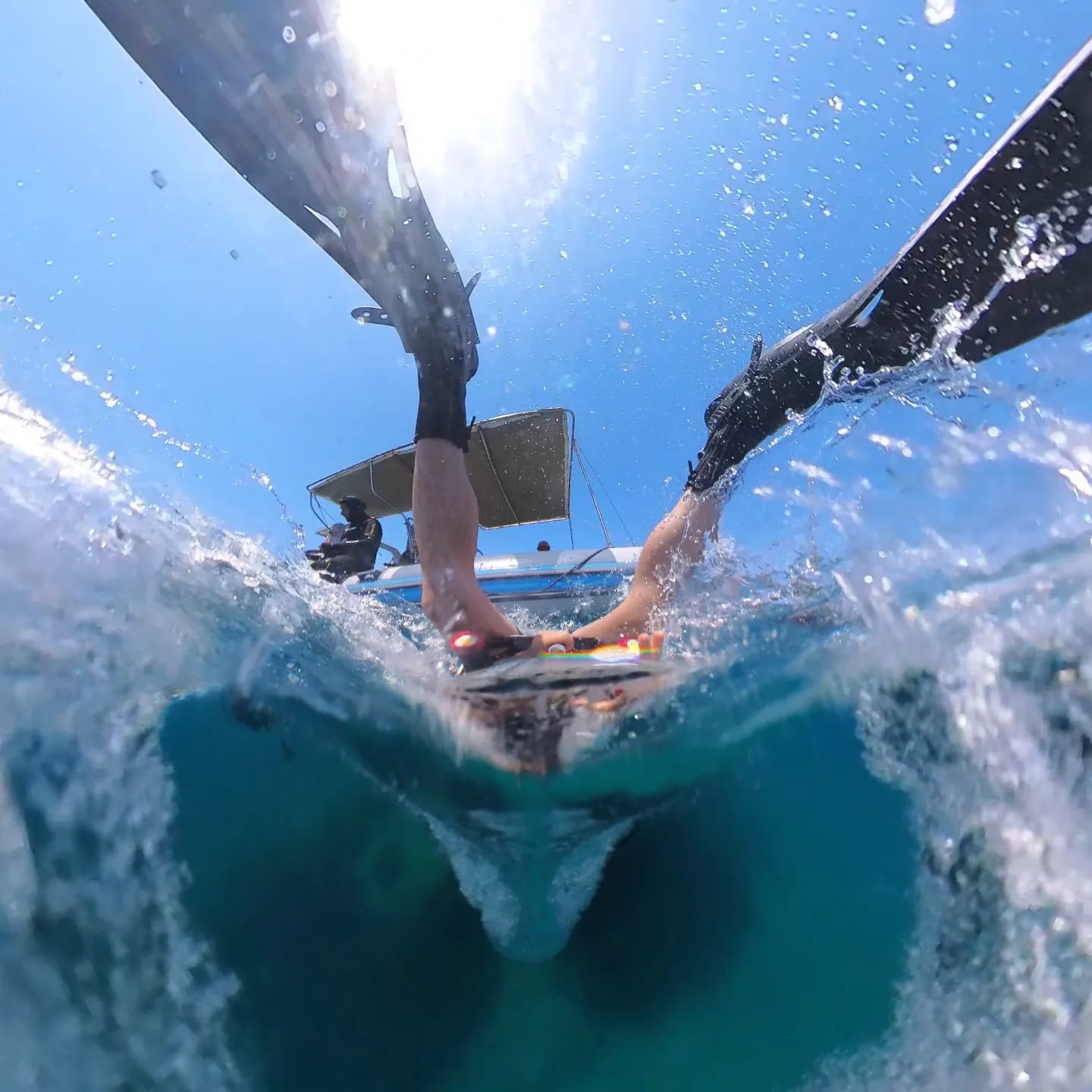
Filming Underwater
Filming is a challenge and underwater comes with lots of additional layers of challenges. Creators often run into difficulties having not understood some key information. Yes the camera can go underwater without a housing. But should it? And will you get the result you want? Lets dive in.
Why the Dive Case Is Essential for Underwater VR Filming with the Insta360 X5
Many beginners assume they can simply take a waterproof 360 camera underwater and achieve professional results.
Unfortunately, underwater filming introduces major optical challenges that directly affect stitch quality.
This is why using the dedicated dive case with the Insta360 X5 is absolutely essential for serious underwater VR filming.
Why Stitching Problems Happen Underwater
360 cameras rely on software stitching to combine footage from multiple lenses into a seamless spherical image.
Underwater, light behaves very differently.
Water changes how lenses refract light, which alters image alignment between the two camera lenses.
Without a dive case:
- Stitch lines become highly visible
- Objects distort near stitch zones
- Misalignment increases
- Image warping becomes obvious
- Close-range underwater subjects can break immersion badly
This is especially noticeable when filming:
- Divers
- Fish schools
- Coral reefs
- Wreck dives
- Swimming sequences
How the Dive Case Improves Stitching
The Insta360 X5 dive case is specifically engineered to correct underwater optical distortion.
It works by:
- Rebalancing light refraction
- Creating consistent optical paths
- Improving lens alignment underwater
- Helping software stitch footage accurately
- Reducing distortion near stitch boundaries
The improvement in image quality can be dramatic.
Professional underwater immersive footage almost always relies on proper optical correction.
Underwater VR Shooting Tips
Keep Subjects Further from the Camera
Objects extremely close to stitch lines create major issues underwater.
Try to:
- Keep subjects several feet away
- Avoid fast passes directly beside camera
- Give stitching software room to work
Shoot in Bright Conditions
Water absorbs light rapidly.
Even shallow water loses colour and brightness quickly.
The best underwater VR footage is usually filmed:
- Near midday
- In clear water
- In tropical conditions
- With sunlight overhead
Move Slowly Underwater
Fast camera movement underwater can feel chaotic in VR.
Smooth floating movement creates much more immersive experiences.
Use:
- Slow finning techniques
- Controlled body movement
- Neutral buoyancy whenever possible
- Consider the subject and how it will cut together carefully
Specialist VR Filming Setups
As immersive filmmaking evolves, creators are increasingly exploring specialist VR production styles.
Travel and Tourism VR
Travel experiences remain one of the strongest use cases for immersive storytelling.
To maximise immersion:
- Capture environmental sound carefully
- Film during golden hour lighting
- Use slower pacing
- Position camera naturally where viewers would stand
- Allow scenes to breathe
Tourism VR works best when viewers feel emotionally transported.
Action Sports VR
Action filming creates incredible immersion when done correctly.
However, creators must balance excitement with viewer comfort.
Best practices include:
- Avoiding excessive spinning motion
- Using stable mounting systems
- Maintaining predictable movement paths
- Shooting at higher frame rates
- Carefully managing horizon stability
The Insta360 X5 is especially effective for action-focused immersive production thanks to its stabilisation systems.
Documentary VR Production
Documentary VR succeeds when viewers feel genuinely present inside real-world environments.
For documentary creators:
- Prioritise authentic sound recording
- Hold shots longer than traditional documentaries
- Use natural environmental movement
- Guide attention subtly through audio and lighting
- Avoid excessive editing speed
Immersive documentaries benefit enormously from patience and atmosphere.
Live Event and Concert VR
Concerts and live experiences are becoming one of the most commercially exciting VR categories.
To create premium concert experiences:
- Position cameras where audiences cannot normally stand or in the best seat in house
- Capture crowd ambience separately
- Use elevated camera rigs carefully
- Maintain strong low-light control
- Plan lighting exposure in advance
High-quality immersive concerts can create extraordinarily powerful viewer engagement.
Final Thoughts: Great VR Content Combines Technology and Experience Design
The cameras available to creators today are more powerful than ever.
The Insta360 X5 and Kandao Qoocam 3 Ultra allow independent creators to produce immersive experiences that would have required enormous budgets only a few years ago.
But technology alone is not enough.
The creators producing the best immersive content understand movement, lighting, audio, staging, storytelling, and audience comfort.
VR filmmaking is not just about capturing environments.
It is about creating presence.
The more naturally viewers feel transported into your world, the more successful your immersive experience becomes.
By mastering lighting, stabilisation, camera settings, movement, and storytelling techniques, creators can dramatically elevate the quality of their VR productions.
And as immersive streaming platforms continue making VR accessible across browsers, phones, apps, TVs, and headsets, the opportunity for creators has never been larger.
The future of immersive storytelling belongs to creators who combine technical skill with thoughtful experience design.
Suggested Internal Links for WordPress
- Best Cameras for 360VR Filmmaking
- How to Distribute 360VR Content
- Beginner Guide to VR Storytelling
- Best Lighting Setups for VR Production
- How to Edit 360VR Video Professionally
Suggested Yoast SEO Enhancements
Related Keyphrases
- VR filming tips
- Insta360 X5 settings
- Kandao Qoocam 3 Ultra guide
- immersive filmmaking tips
- 360 camera production
- VR lighting techniques
Suggested Image Alt Text
- “Insta360 X5 professional VR filming setup”
- “Kandao Qoocam 3 Ultra immersive production workflow”
- “Lighting setup for 360 VR filmmaking”
- “Grip equipment for immersive VR production”
- “Professional creator filming 360VR content”
Suggested CTA
Want your immersive productions to reach wider audiences? Combine professional VR filming techniques with next-generation immersive distribution platforms to maximise viewer engagement and content quality.
VR Camera Troubleshooting FAQ: Common Problems When Shooting with Insta360 X5 and Kandao Qoocam 3 Ultra
Even the best VR creators run into technical issues when filming immersive content. Cameras like the Insta360 X5 and Kandao Qoocam 3 Ultra are incredibly powerful, but 360 production introduces challenges that traditional filmmakers never encounter.
This troubleshooting FAQ covers the most common real-world issues creators experience when shooting immersive content — along with the best professional solutions.
1. Why Do My Stitch Lines Look Visible?
Visible stitch lines are one of the most common VR filming problems.
This usually happens because:
- Subjects are too close to the camera
- Lighting differs between lenses
- Lens guards distort the image
- The camera calibration is off
- Underwater refraction affects stitching
For best results:
- Keep subjects at least 3–6 feet away
- Recalibrate stitching after impacts or lens replacement
- Avoid placing important subjects directly on stitch lines
- Use official accessories only
- Export using Optical Flow or AI Stitching modes (Insta360 Online Manual)
2. Why Does Underwater Footage Look Bad Without the Dive Case?
Water bends light differently than air.
Without the proper dive housing, underwater footage often suffers from:
- Broken stitch lines
- Warping
- Blur
- Distortion
The Invisible Dive Case corrects underwater optical refraction and helps stitching algorithms align footage correctly. Insta360 officially recommends using the dive case for underwater 360 shooting. (Insta360 Online Manual)
3. Why Are My Videos Blurry?
Many creators mistake preview compression for actual recording quality.
The preview inside the app or camera often appears softer to improve playback performance.
Check the exported footage before assuming the recording itself is blurry. (Insta360 Online Manual)
Other possible causes include:
- Dirty lenses
- Smudged lens guards
- Scratched optics
- Incorrect focus distance
- Moisture or condensation
4. Why Is My Footage Noisy in Low Light?
360 cameras use relatively small sensors compared to cinema cameras.
In low light:
- ISO increases automatically
- Noise becomes more visible
- Detail breaks down faster
Solutions:
- Use additional lighting
- Keep ISO below 500–800 when possible
- Avoid Active HDR at night
- Use PureVideo mode on X5
- Reduce sharpness settings slightly (Insta360 Online Manual)
5. Why Does the Camera Overheat?
Recording 8K immersive video generates enormous heat.
Overheating usually happens during:
- Long 8K shoots
- Direct sunlight exposure
- High ambient temperatures
- Continuous recording
Professional solutions:
- Shoot shorter takes
- Keep airflow around the camera
- Use shade whenever possible
- Remove battery during cooldown
- Avoid leaving the camera mounted in direct sunlight (Insta360 Online Manual)
6. Why Does the Camera Crash During Recording?
Common causes include:
- Slow SD cards
- Corrupted media
- Overheating
- Firmware issues
- Power instability
Always use:
- V30 or higher cards
- exFAT formatting
- Updated firmware
- Genuine batteries
Insta360 specifically recommends UHS-I V30 cards or faster. (Insta360 Online Manual)
7. Why Does My Camera Randomly Say “No SD Card”?
This issue is commonly linked to:
- Faulty SD cards
- Loose contacts
- Corrupted formatting
- Card compatibility issues
Professional workflow tips:
- Format cards inside camera
- Avoid cheap Amazon cards
- Replace ageing media
- Rotate cards regularly
- Never remove power while recording
8. Why Does Motion Look Jittery or Weird?
VR is extremely sensitive to unnatural motion.
Jitter usually comes from:
- Fast shutter speeds
- Excessive camera shake
- Aggressive stabilisation
- Fast body movement
Best practice:
- Use the 180-degree shutter rule
- Walk slowly
- Use heel-to-toe movement
- Avoid sudden acceleration
9. Why Do My Videos Look Too Sharp and Artificial?
Excessive in-camera sharpening creates ugly digital edges in VR.
Professional creators often:
- Lower sharpness settings
- Add controlled sharpening in post
- Use flatter colour profiles
- Preserve more natural detail
10. Why Are Lens Guards Causing Stitch Problems?
Third-party lens guards frequently distort stitching.
Common issues include:
- Reflections
- Edge blur
- Glare
- Misalignment
- Additional optical refraction
If using official guards:
- Enable the correct lens guard mode in software
- Recalibrate stitching afterward
Many creators avoid third-party guards entirely.
11. Why Is Audio Missing After Export?
Some creators report audio dropouts after exporting long edits from Insta360 Studio.
Possible causes include:
- Timeline rendering bugs
- Codec export issues
- System performance limitations
Best practices:
- Export shorter test files first
- Keep software updated
- Avoid heavily overloaded timelines
- Export using recommended codecs
12. Why Do Close Objects Break the Stitching?
360 cameras combine multiple lenses into one sphere.
Objects too close to the stitch boundary create alignment errors.
Avoid:
- Hands near camera
- Faces directly beside lenses
- Fast-moving close subjects
- Tight indoor spaces
The closer objects get, the harder stitching becomes.
13. Why Does Horizon Levelling Drift?
Drifting horizon issues often come from:
- Gyro calibration problems
- Strong vibration
- Firmware glitches
- Mount flexing
Fixes include:
- Recalibrating gyro
- Updating firmware
- Using sturdier mounts
- Avoiding vibration-heavy setups
14. Why Does Exporting Take So Long?
8K VR files are massive.
Export speed depends heavily on:
- GPU performance
- SSD speed
- Codec settings
- AI stitching complexity
Professional VR editing benefits enormously from:
- Fast NVMe SSDs
- Dedicated GPUs
- Proxy workflows
- Optimised media drives
15. Why Does My Camera Fog Up?
Condensation is common when:
- Moving between temperatures
- Filming underwater
- Shooting in humid environments
Prevent fogging by:
- Using anti-fog inserts
- Acclimating gear slowly
- Avoiding rapid temperature shifts
- Keeping silica gel packs nearby
16. Why Does the Camera Stop Recording Suddenly?
This usually indicates:
- Overheating protection
- Card write failure
- Battery instability
- Corrupted media
Always test long-form recording before professional shoots.
17. Why Does My Footage Look Wobbly Near the Stitch Line?
Wobbling often occurs when:
- Subjects cross stitch boundaries
- Optical Flow struggles
- The camera moves too aggressively
- Nearby objects dominate the frame
Keep important action away from stitch seams whenever possible.
18. Why Does Stabilisation Fail on Vehicles?
Vehicle vibration can overwhelm internal stabilisation systems.
Professional creators often add:
- Vibration dampers
- Isolated mounting arms
- Suspension mounts
- Post stabilisation workflows
Motorcycles and bicycles are particularly challenging. (Insta360 Online Manual)
19. Why Do Colours Shift During Recording?
Auto white balance frequently changes during movement between lighting environments.
Professional workflow:
- Lock white balance manually
- Match Kelvin values to lighting
- Avoid mixed colour temperatures
Consistency matters enormously in VR.
20. Why Does VR Footage Feel Uncomfortable to Watch?
Viewer discomfort usually comes from:
- Fast movement
- Sudden cuts
- Unnatural camera height
- Aggressive spinning
- Excessive shake
- Rapid acceleration
The best immersive content prioritises viewer comfort above everything else.
Smooth, natural movement almost always performs better.
21. Why Does Battery Life Drop So Fast in 8K?
8K VR recording is one of the most demanding shooting modes available on consumer cameras.
Battery drain increases with:
- Higher resolutions
- Cold weather
- High brightness screens
- Continuous stabilisation
- WiFi transfers
Professional creators typically:
- Carry multiple batteries
- Use USB-C power banks
- Rotate batteries constantly
- Shoot strategically instead of continuously
22. Why Do Exports Look Worse Than Original Footage?
This is usually caused by:
- Over-compression
- Incorrect bitrate settings
- Repeated exports
- Wrong codec choices
- Poor upload compression
Best practice:
- Export at highest master quality
- Archive original footage
- Compress only for final delivery platform
23. Why Does the Camera Need Frequent Firmware Updates?
360 cameras rely heavily on software processing.
Firmware updates often improve:
- Stitching
- Stabilisation
- Audio syncing
- Export reliability
- Battery management
- Accessory compatibility
Keeping firmware updated is essential for professional reliability. (Insta360 Online Manual)
24. Where is best to release my experiences?
Releasing your content is of course something we want to do to make the most out of our hard work. You have an audience waiting to see your content and you can create more for them. But where is the right place to release it?
- YouTube – low ROI, good for simple clips
- Facebook – removing most VR support but some still available
- URview – best ROI – full support and quality controlled